
 Add to Chrome
 Add to Edge
Premium Sender – A Premium WhatsApp bulk message sender
Premium Sender helps you send personalized messages at scale — directly from WhatsApp Web
- ✅ Premium Sender Chrome Extension
Works natively inside WhatsApp Web — no external dashboards or APIs - ✅ Spreadsheet-Based Messaging
Upload Excel or CSV files and map columns to message placeholders - ✅ Full Sending Control
Set delays, batch sizes, and personalized variables for safe, human-like sending
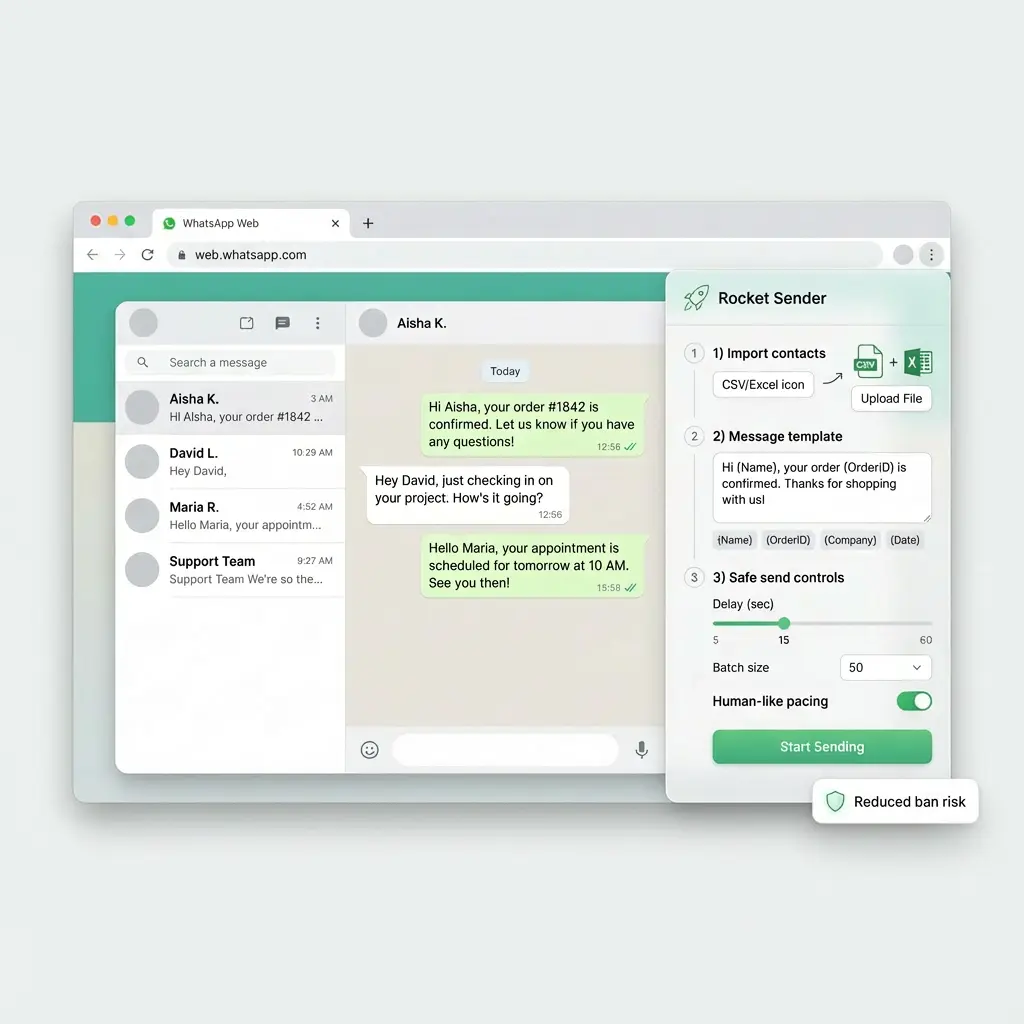
What Is Premium Sender?
Premium Sender is a premium sender extension that enables structured, large-scale message sending using WhatsApp Web, with full control over personalization, timing, and delivery.
Premium Sender works directly inside your existing WhatsApp Web session, allowing you to send messages to multiple recipients using spreadsheet data — without relying on external APIs, third-party dashboards, or complex technical setup.
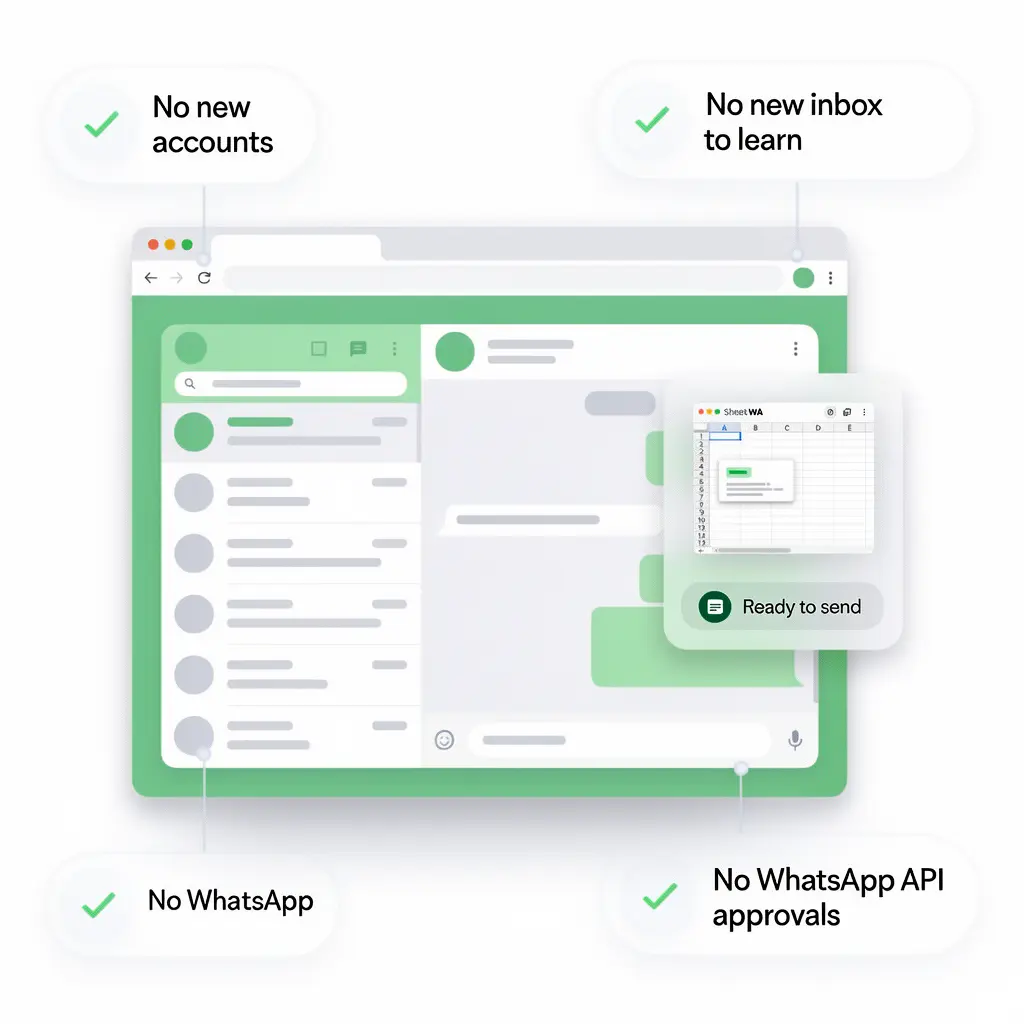
What Makes Premium Sender Different?
Unlike basic sender tools or automation-heavy solutions, Premium Sender is designed around control, clarity, and responsible usage.
This makes Premium Sender suitable for real business communication — not blind blasting.
What Premium Sender Is (and Is Not)
✅ What Premium Sender Is
- A premium sender built for WhatsApp Web
- A spreadsheet-driven messaging tool
- A Chrome extension that assists manual workflows
- A solution focused on personalization and pacing
❌ What Premium Sender Is Not
- Not a WhatsApp Business API platform
- Not an auto-spam or background bot
- Not a "set and forget" mass sender
- Not dependent on external servers for sending
Who Premium Sender Is For
Businesses
Sending customer updates or reminders
Teams
Managing outreach from spreadsheets
Professionals
Who need accuracy and personalization
Anyone
Who wants scale without losing control
Ready to send smarter with Premium Sender?
👉 Try Premium Sender Free"Sending messages at scale shouldn't mean losing control or compromising on personalization.
"
Premium Sender Features
Built for Control, Personalization, and Scale
Premium Sender includes a focused set of features designed to help you send messages efficiently — without sacrificing accuracy, safety, or control.
Every feature exists to support structured message sending, not automation abuse.
Bulk Messaging with Premium Sender
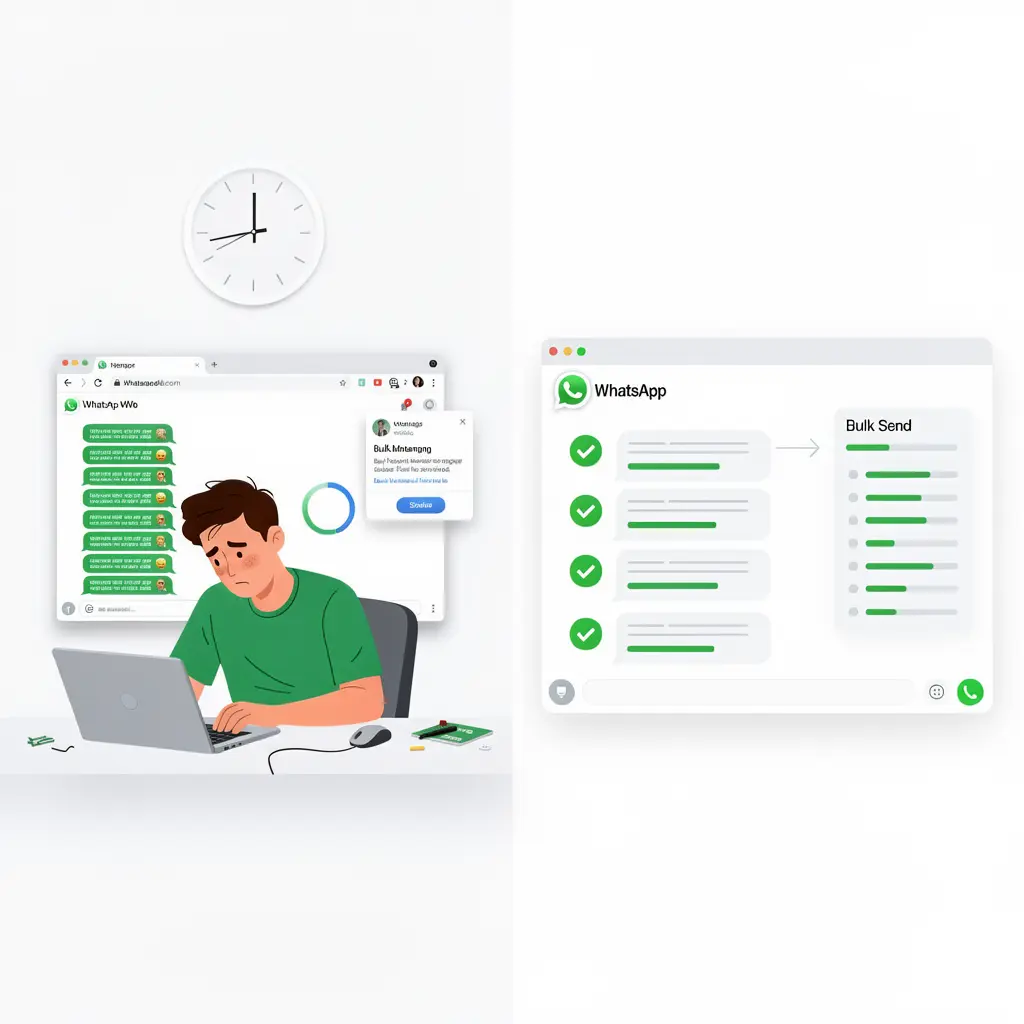
Premium Sender allows you to send messages to multiple recipients in a single workflow, while maintaining full manual oversight.
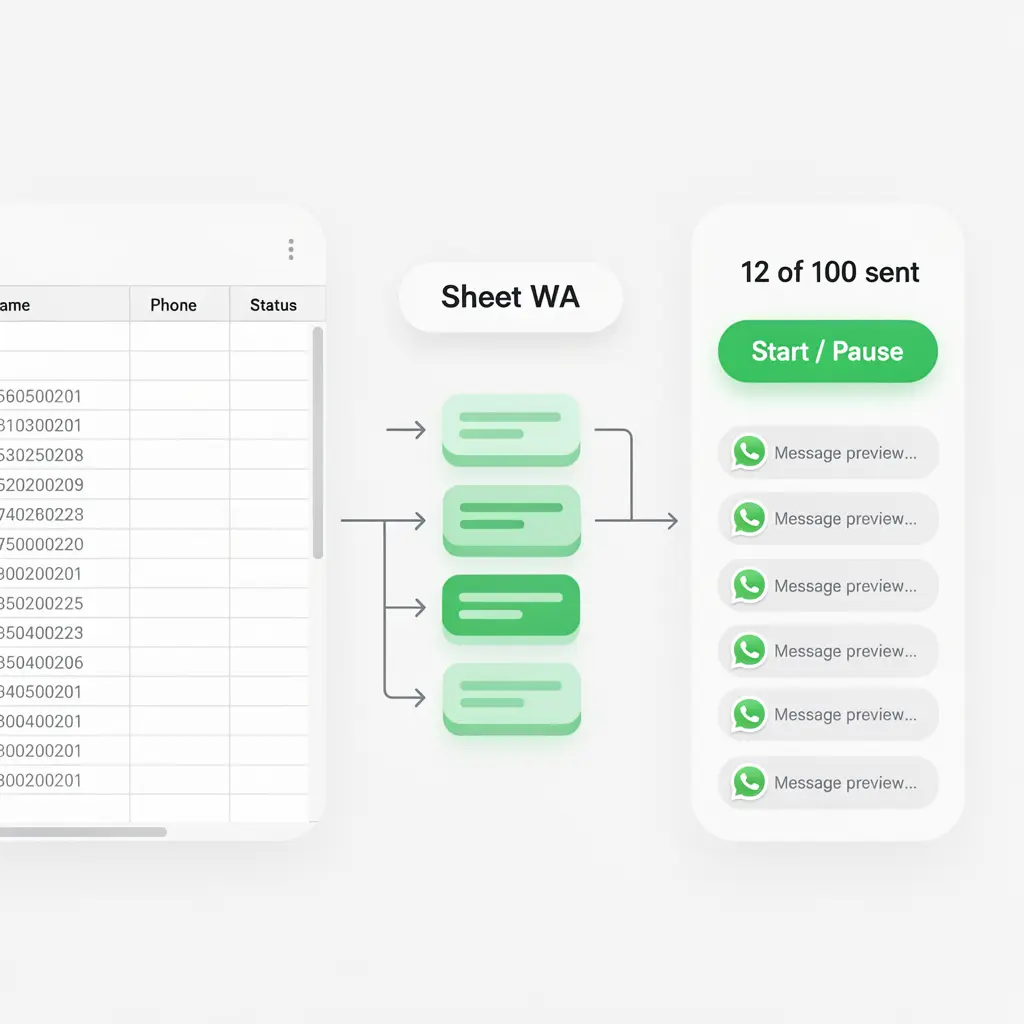
- Send messages in controlled batches
- Pause or stop sending at any time
- Monitor progress as messages go out
This ensures scale without losing visibility.
Spreadsheet-Based Message Sending
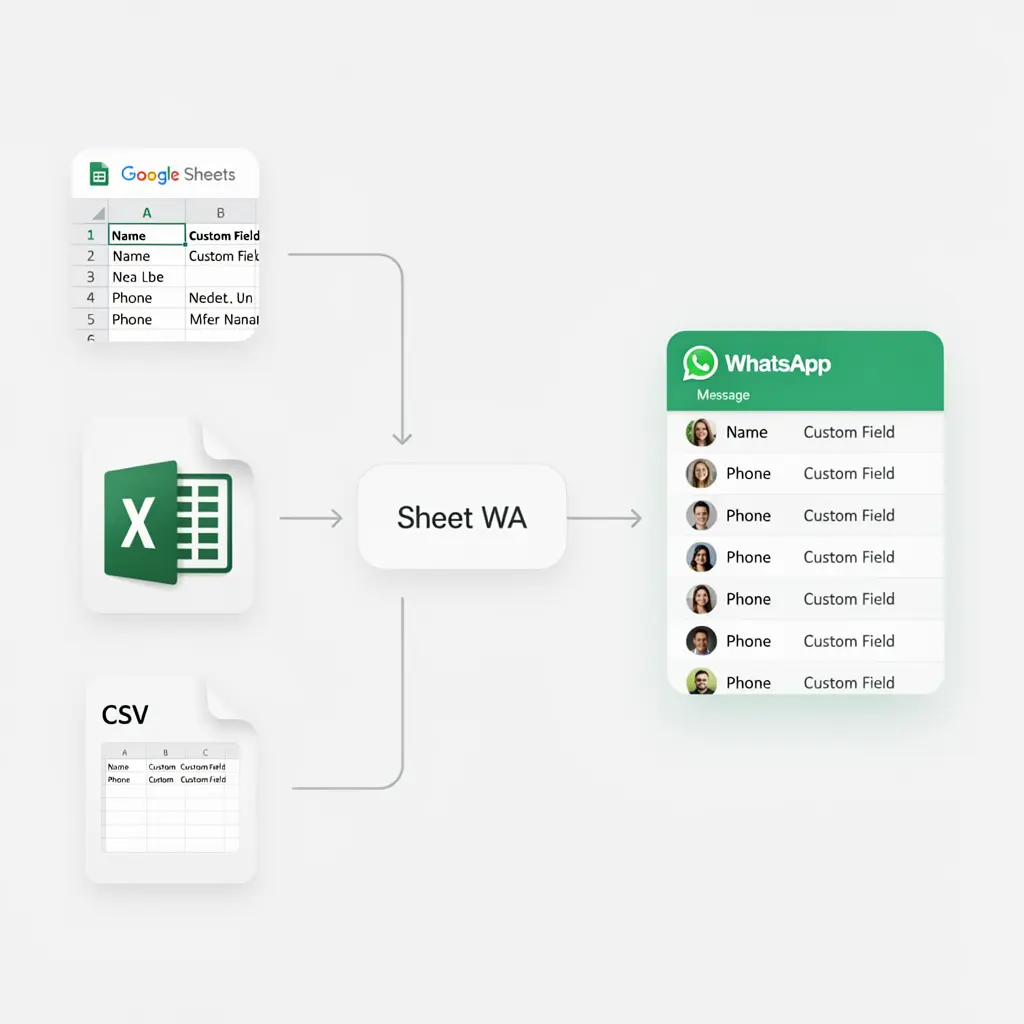
At the core of Premium Sender is spreadsheet-driven messaging.
- Upload Excel or CSV files
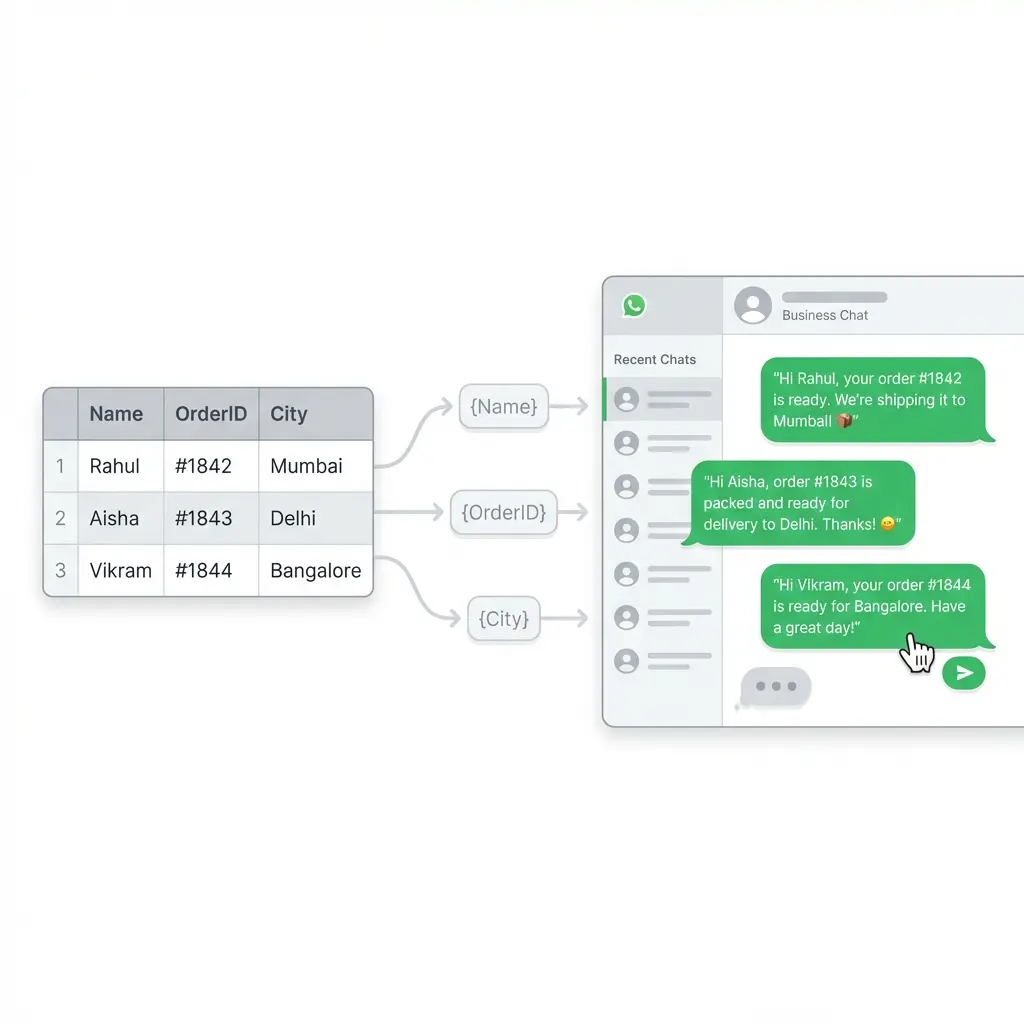
- Use columns like Name, Phone, Order ID, City
- Map fields directly into message content
Hi {Name}, your order {OrderID} is ready for delivery.
This makes Premium Sender ideal for data-driven communication.
Personalized Messaging at Scale
Premium Sender enables personalization without complexity.
- Dynamic placeholders per recipient
- Each message feels individually written
- Reduces errors caused by manual edits
Personalization is handled before sending, not guessed at runtime.
Send Messages Without Saving Contacts
With Premium Sender, you can message valid WhatsApp numbers directly.
- No need to add numbers to your contacts
- Keeps your address book clean
- Ideal for leads, customers, and campaigns
This feature is especially useful for temporary or transactional communication.
Media and File Attachments
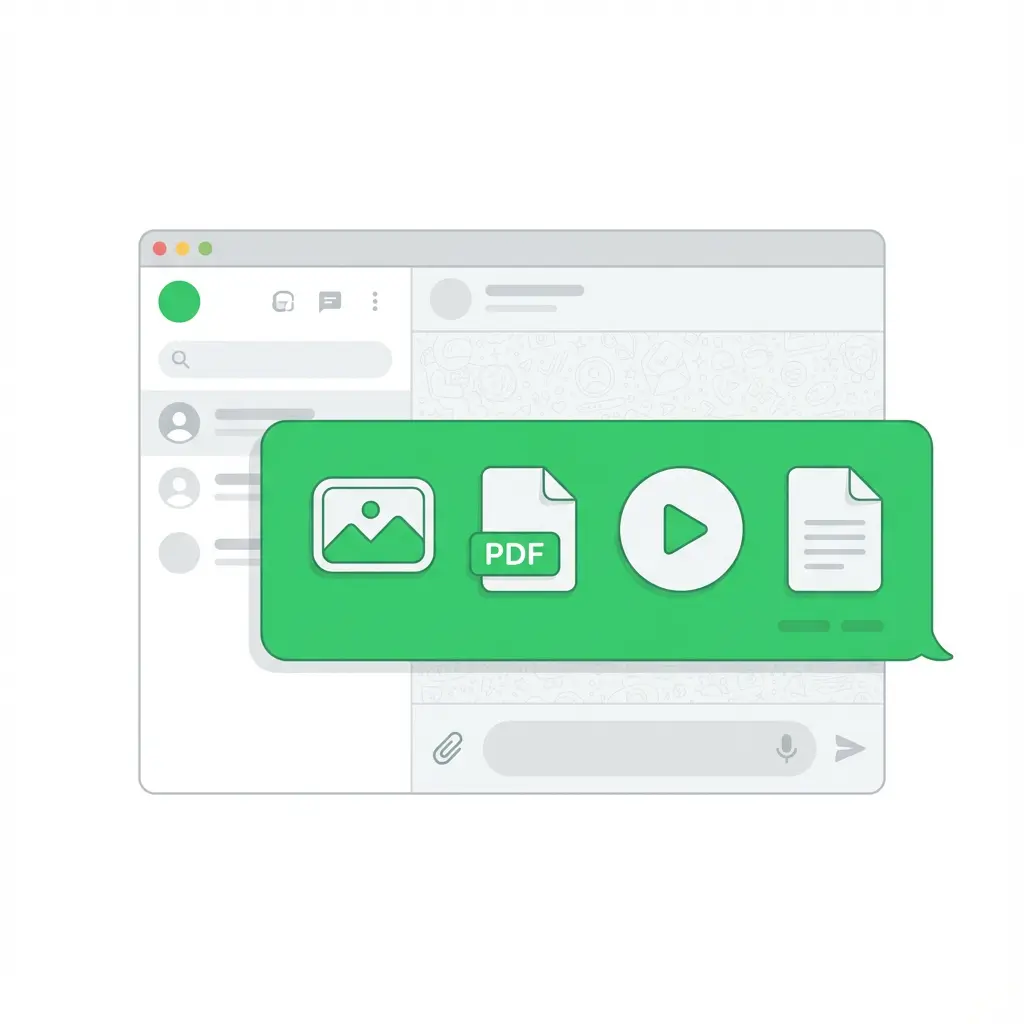
Premium Sender supports sending messages with attachments, including:
- Invoices and receipts
- Brochures and catalogs
- Event details and confirmations
Smart Sending Controls
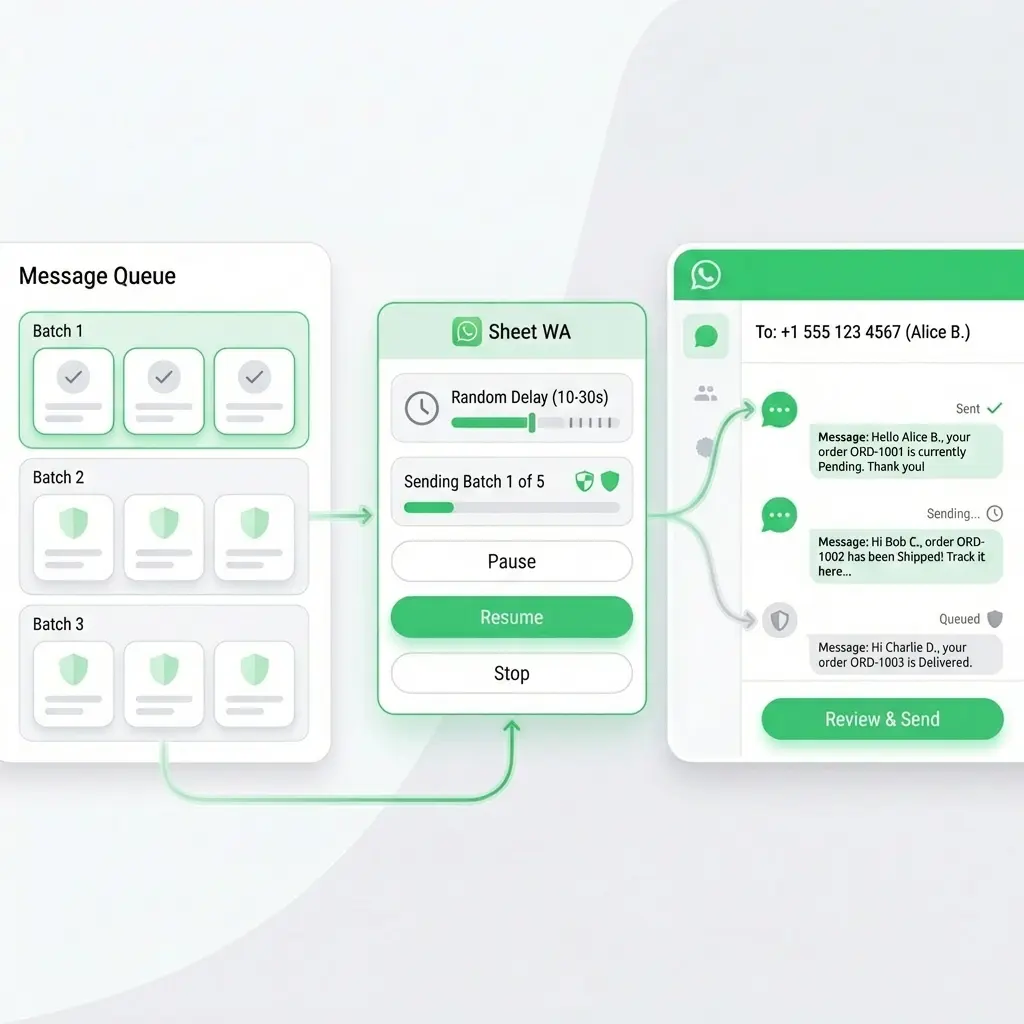
Premium Sender gives you fine-grained control over how messages are sent.
- ⏱️ Delay between messages
- 📦 Batch size control
- 🧑 Human-like pacing
You decide the rhythm — not the tool.
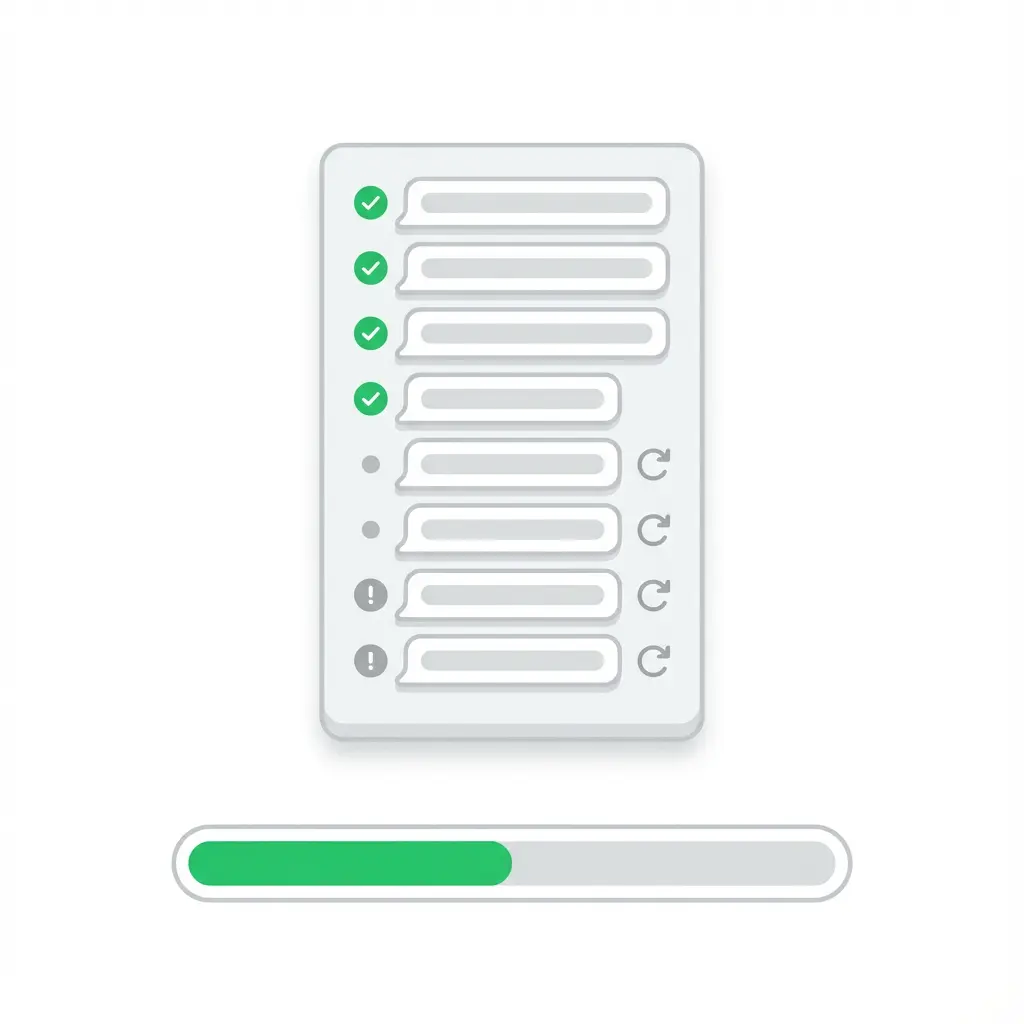
Message Status and Visibility
During sending, Premium Sender provides clear feedback.
- ✓ Sent indicators
- ✗ Failed indicators
- ⟳ Progress tracking
- ↻ Retry failed numbers
This ensures accountability and reliability in real campaigns.
Ready to use these powerful features?
👉 Get Premium Sender FreeHow Premium Sender Works
A Simple, Controlled Workflow Inside WhatsApp Web
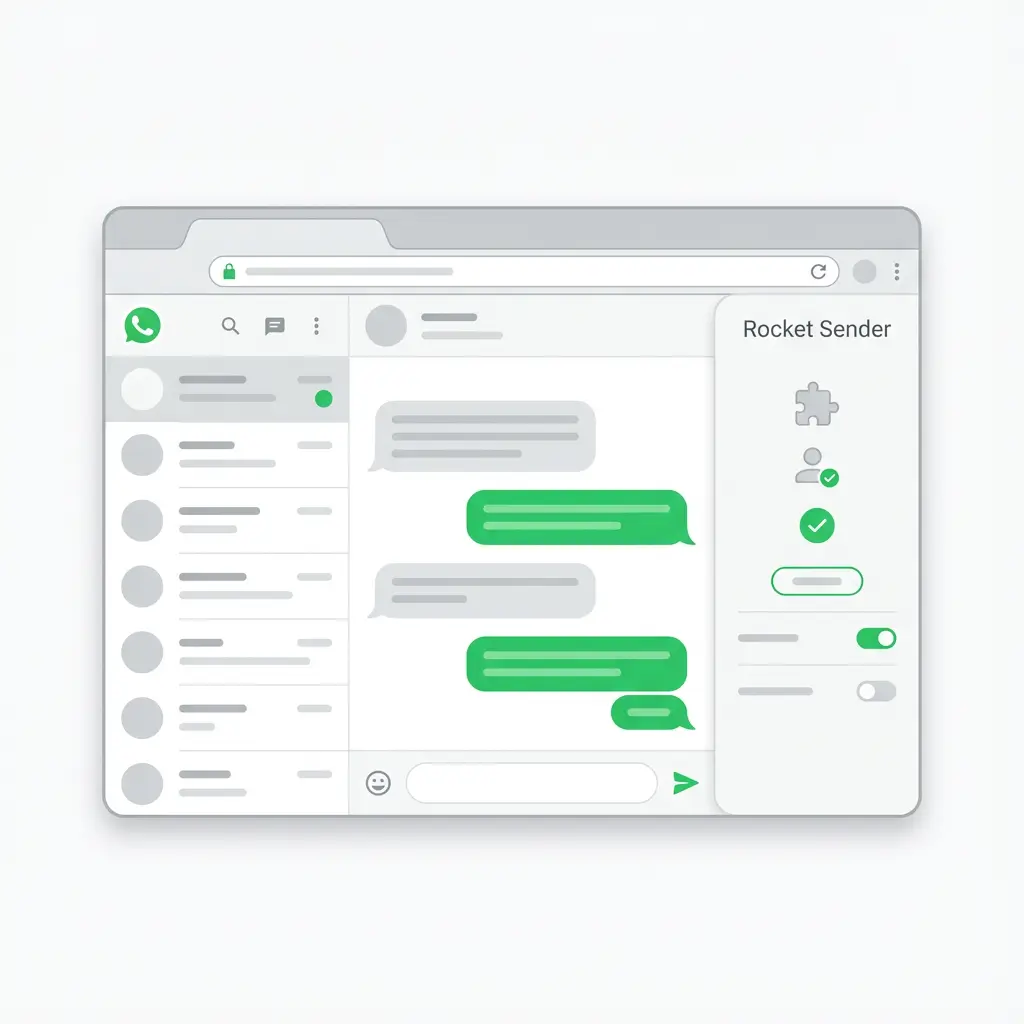
Premium Sender is designed to fit naturally into how you already use WhatsApp Web.
There's no new dashboard to learn and no complex setup — just a clear, guided process.
Install Premium Sender
- Install the Premium Sender Chrome extension
- Open WhatsApp Web in your browser
- Stay logged in to your existing WhatsApp account
Premium Sender runs inside WhatsApp Web, not outside it.
Prepare Your Contact Data
- Create or upload an Excel or CSV file
- Include columns such as:
This structured data powers personalization later.
Compose Your Message
- Write your message once
- Insert placeholders using spreadsheet column names
Premium Sender automatically maps each row to its corresponding message.
Configure Sending Controls
Before sending, you define:
This ensures messages are sent gradually and responsibly.
Start Sending with Full Visibility
- Start the sending process manually
- Watch progress in real time
- See which messages are sent or failed
- Pause or stop anytime if needed
Every message is sent from your own WhatsApp account, under your supervision.
Review and Retry (If Needed)
- Identify failed numbers
- Retry selectively
- Maintain clean records for future campaigns
This final step adds reliability to real-world use.
Ready to start sending with Premium Sender?
👉 Install Premium Sender NowSafety & Responsible Usage
Built for Control, Not Abuse
Human-Like Sending by Design
Premium Sender includes controls that help you manage how messages are sent:
- Adjustable delays between messages
- Batch-based sending instead of instant blasting
- Ability to pause or stop at any time
These controls help messages go out gradually and naturally, reducing sudden spikes in activity.
Full User Visibility at All Times
With Premium Sender:
- You see messages as they are being sent
- You can track progress in real time
- You remain logged in to your own WhatsApp account
Nothing is hidden, automated blindly, or sent without confirmation.
Not a Spam or Bot Tool
Premium Sender is not:
- A background bot
- A WhatsApp Business API replacement
- A tool for unsolicited mass messaging
It is built for opt-in communication, such as customer updates, reminders, and legitimate outreach.
Best Practices for Using Premium Sender
To use Premium Sender effectively and responsibly:
- Send messages only to recipients who expect or consent to communication
- Avoid aggressive sending speeds
- Use personalization to keep messages relevant
- Space campaigns appropriately
Responsible usage leads to better delivery, better responses, and long-term reliability.
Your Account, Your Control
All messages sent using Premium Sender are sent from:
Premium Sender does not take ownership of your data or messaging activity.
Ready to send responsibly with Premium Sender?
👉 Get Premium Sender NowFrequently Asked Questions (FAQ)
Premium Sender is a free Chrome extension that enhances WhatsApp Web by enabling structured message sending — like personalized bulk messaging using spreadsheet data — without saving contacts manually.
To install Premium Sender:
- Go to the Chrome Web Store.
- Search for "Premium Sender."
- Click Add to Chrome.
- Confirm the extension installation.
Then open WhatsApp Web and use Premium Sender from the browser toolbar.
Yes — Premium Sender is free and does not require payment, subscriptions, or hidden fees. You can start using it immediately after installation.
Yes. Premium Sender lets you upload an Excel or CSV file and use column placeholders (e.g., {Name}) to insert personalized information into each message before sending.
No — Premium Sender allows you to message valid WhatsApp numbers directly without adding them to your contacts list.
Yes — Premium Sender supports sending attachments like images, videos, PDFs, and documents along with your messages.
To send messages in bulk:
- Install Premium Sender and open WhatsApp Web.
- Upload your contact list via Excel or CSV.
- Compose your message with any personalization placeholders.
- Set safe sending intervals.
- Start sending — all from your own WhatsApp account.
There is no fixed hard limit imposed by Premium Sender itself, but WhatsApp may limit or flag activity if it resembles spam. Using delays and batching helps reduce risk.
To reduce the risk of restrictions:
- Send only to people who consent to receiving messages.
- Use controlled delays between sends.
- Personalize messages to relevant recipients.
- Don't send too many messages too quickly.
Following these guidelines keeps activity natural and safer.
Premium Sender operates within WhatsApp Web and requires you to manually oversee all sending actions. It does not bypass WhatsApp's API or automate in the background, which aligns better with WhatsApp's usage expectations.
However, users should always follow WhatsApp's messaging guidelines and avoid unsolicited messaging.
Yes — Premium Sender is commonly used by businesses for customer updates, reminders, notifications, promotions, and other structured outreach — provided recipients have opted in to receive messages.
Within Premium Sender you can view which messages failed during a session and retry sending them selectively. This helps improve deliverability and list accuracy.
No — Premium Sender runs directly inside your browser as a Chrome extension working with WhatsApp Web. No separate dashboard or login is required.
Common troubleshooting tips:
- Ensure your file size is within WhatsApp's limits.
- Disable conflicting extensions and reload WhatsApp Web.
- Try sending the attachment directly in WhatsApp Web first to confirm it's supported.
Yes — Premium Sender works with both regular WhatsApp Web and WhatsApp Business Web since it operates within the browser interface itself.
Have more questions? Try Premium Sender today!
👉 Get Premium Sender Free