
 Add to Chrome
 Add to Edge
Sheet WA: Send Bulk WhatsApp Messages From Google Sheets
Upload contacts from Sheets/Excel/CSV, personalize every message, add attachments, and send via WhatsApp Web—no API required.
Designed for opt-in outreach, customer updates, and operational messaging.
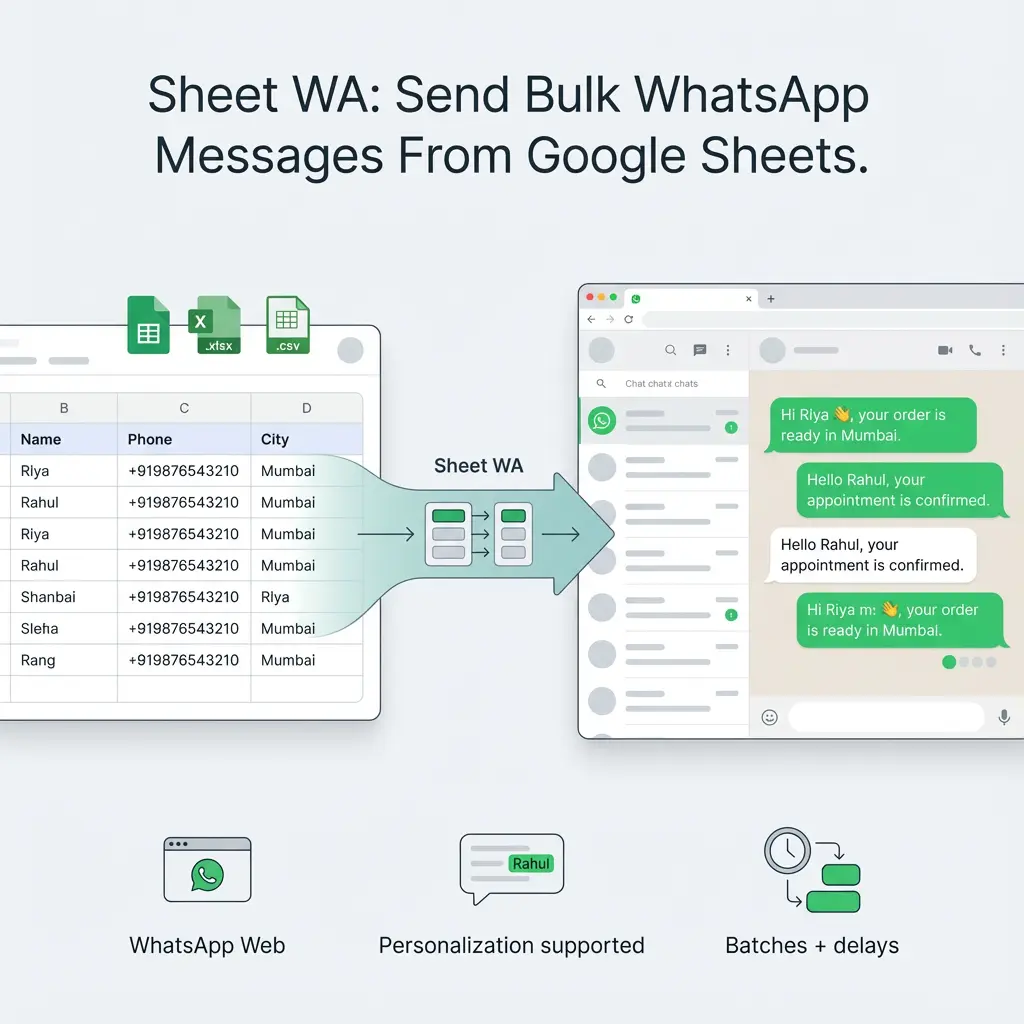
Stop Copy-Pasting. Send WhatsApp Messages Straight From a Sheet.
If you've ever tried sending WhatsApp messages to more than a few people, you already know the pain:
- ❌ Copy-pasting the same message again and again
- ❌ Switching between Google Sheets and WhatsApp Web
- ❌ Manually editing names, numbers, or order details
- ❌ Losing track of who you've contacted
- ❌ Worrying whether bulk sending will get your account flagged
Most teams start with a spreadsheet, but WhatsApp wasn't built to work with sheets. That gap is where time, accuracy, and consistency are lost.
The Solution: Sheet WA
Sheet WA bridges the gap between spreadsheets and WhatsApp.
It turns your Google Sheet, Excel file, or CSV into a powerful bulk WhatsApp sender, so you can send personalized messages directly from your data—without APIs, complex setup, or new dashboards.
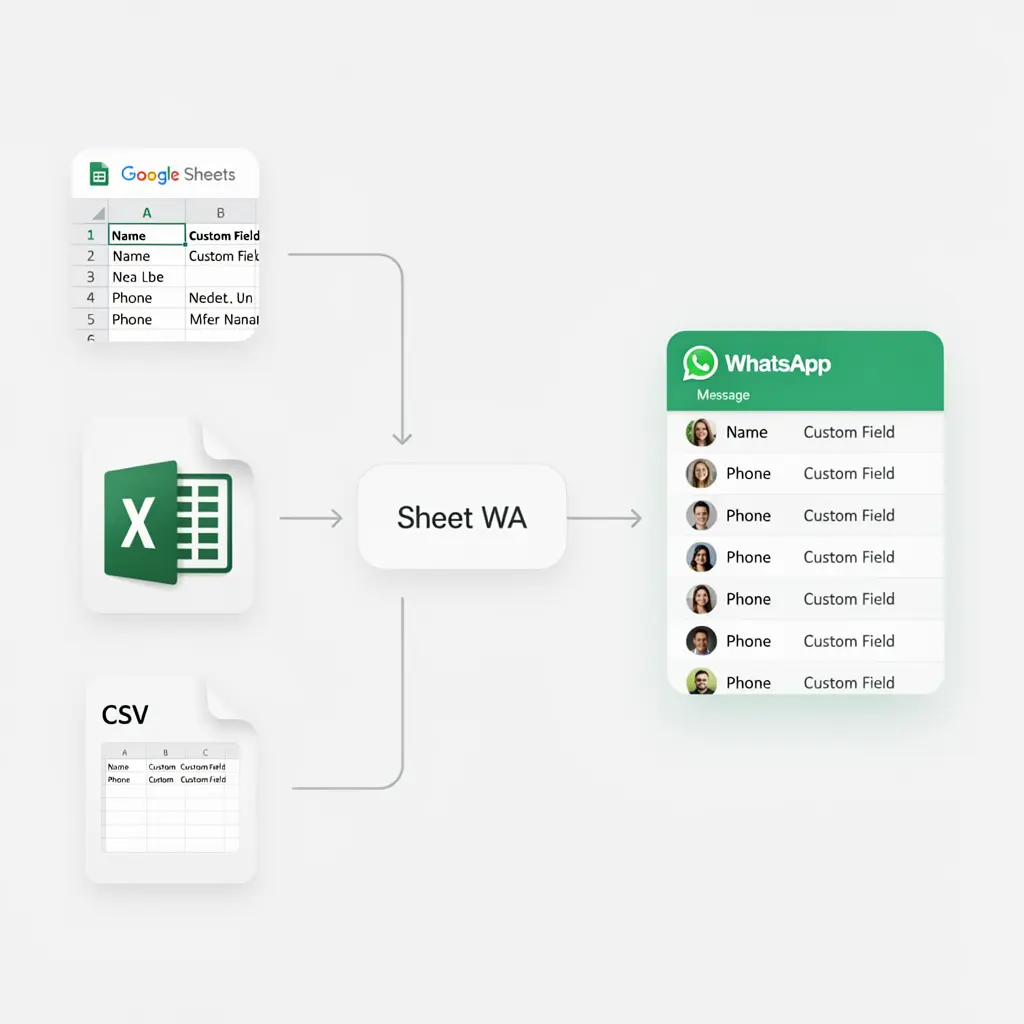
Import contacts from Google Sheets, Excel, or CSV
Upload or connect your spreadsheet once. Sheet WA reads your rows (Name, Phone, Custom Fields) and prepares them for WhatsApp sending—no reformatting required.
Send to hundreds in one controlled flow
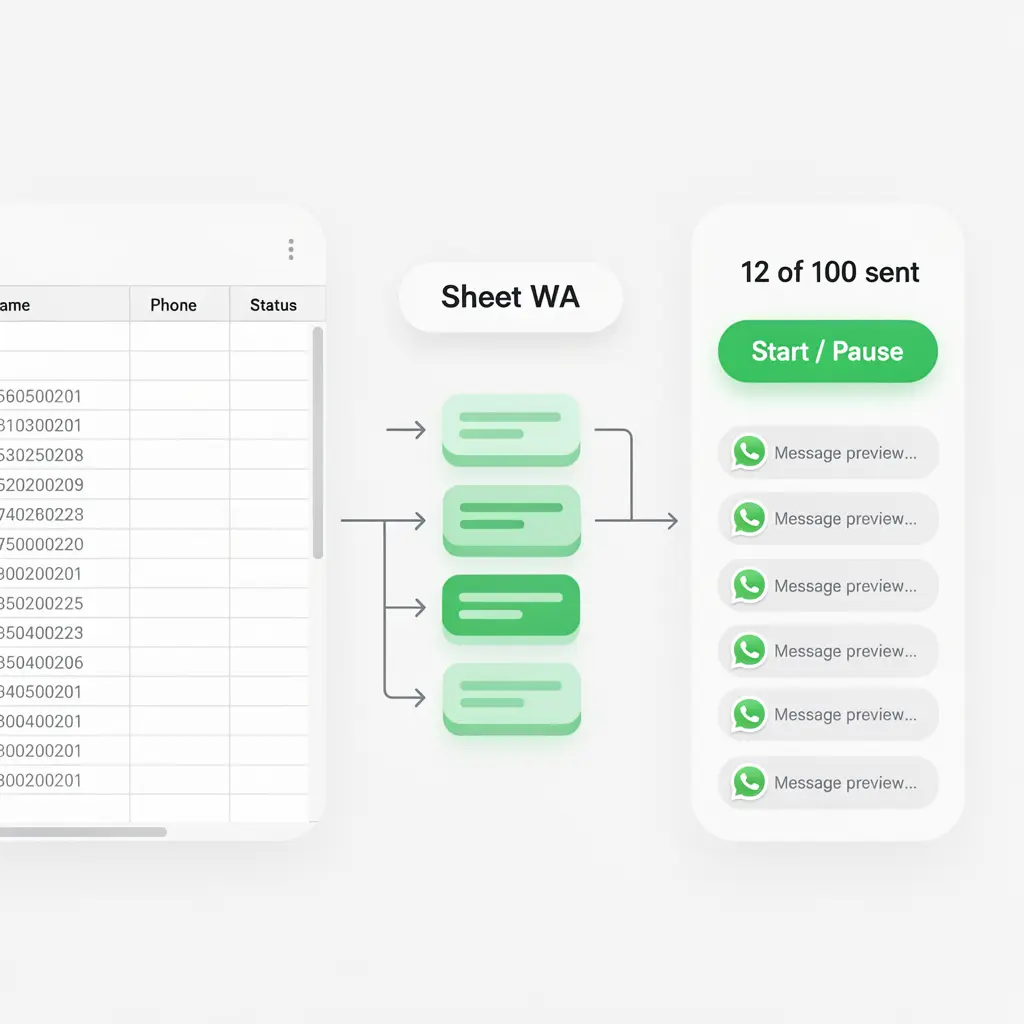
Send messages to hundreds of contacts from a single sheet, in one session. Sheet WA helps you move fast while still staying in control.
- Batch-based sending
- Manual start/stop
- Clear visibility of what's being sent
Keep messages feeling 1-to-1 with personalization
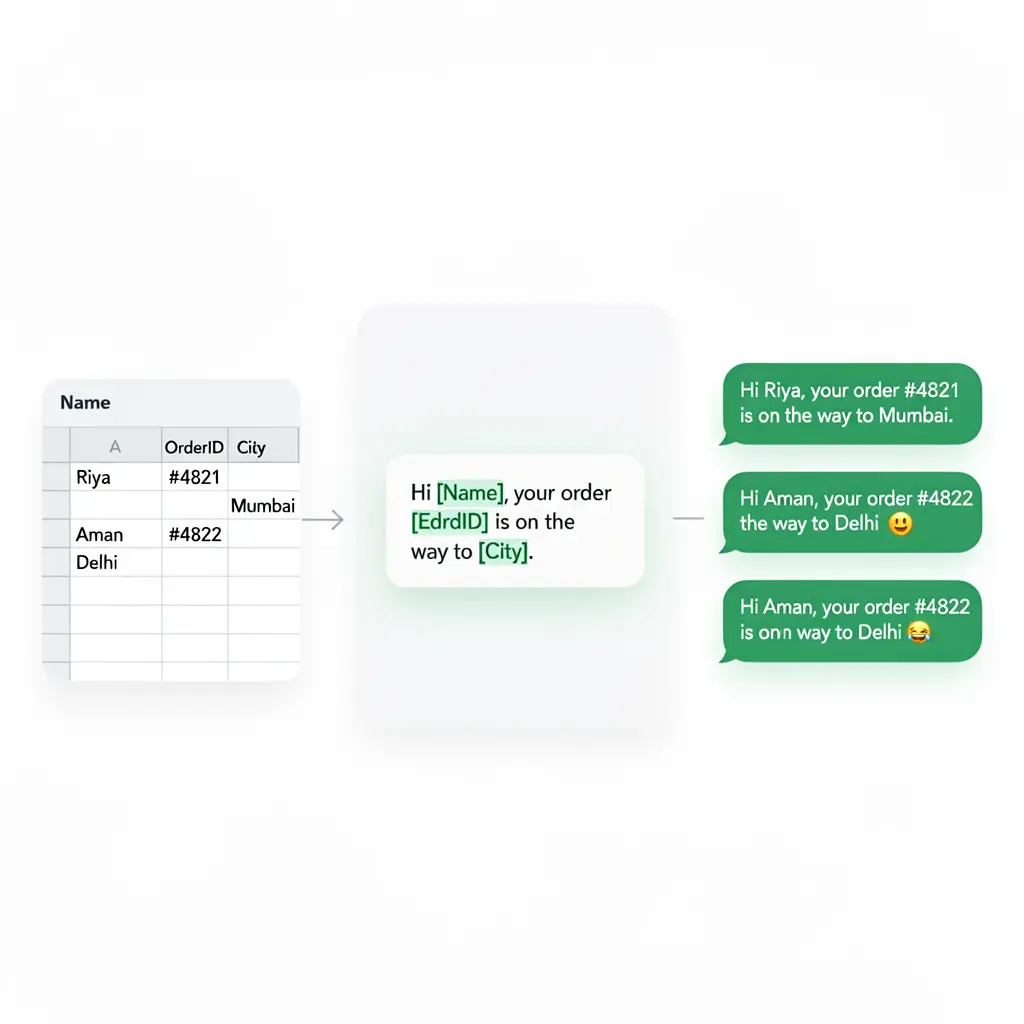
Bulk doesn't have to mean robotic. Use dynamic placeholders like:
Each WhatsApp message is personalized using your sheet data—so it looks like you typed it individually.
Works inside WhatsApp Web (no new dashboard)
Sheet WA runs directly with WhatsApp Web.
- No new accounts to create
- No separate CRM or inbox to learn
- No WhatsApp API approvals
You use the same WhatsApp account you already trust, just supercharged by your spreadsheet.
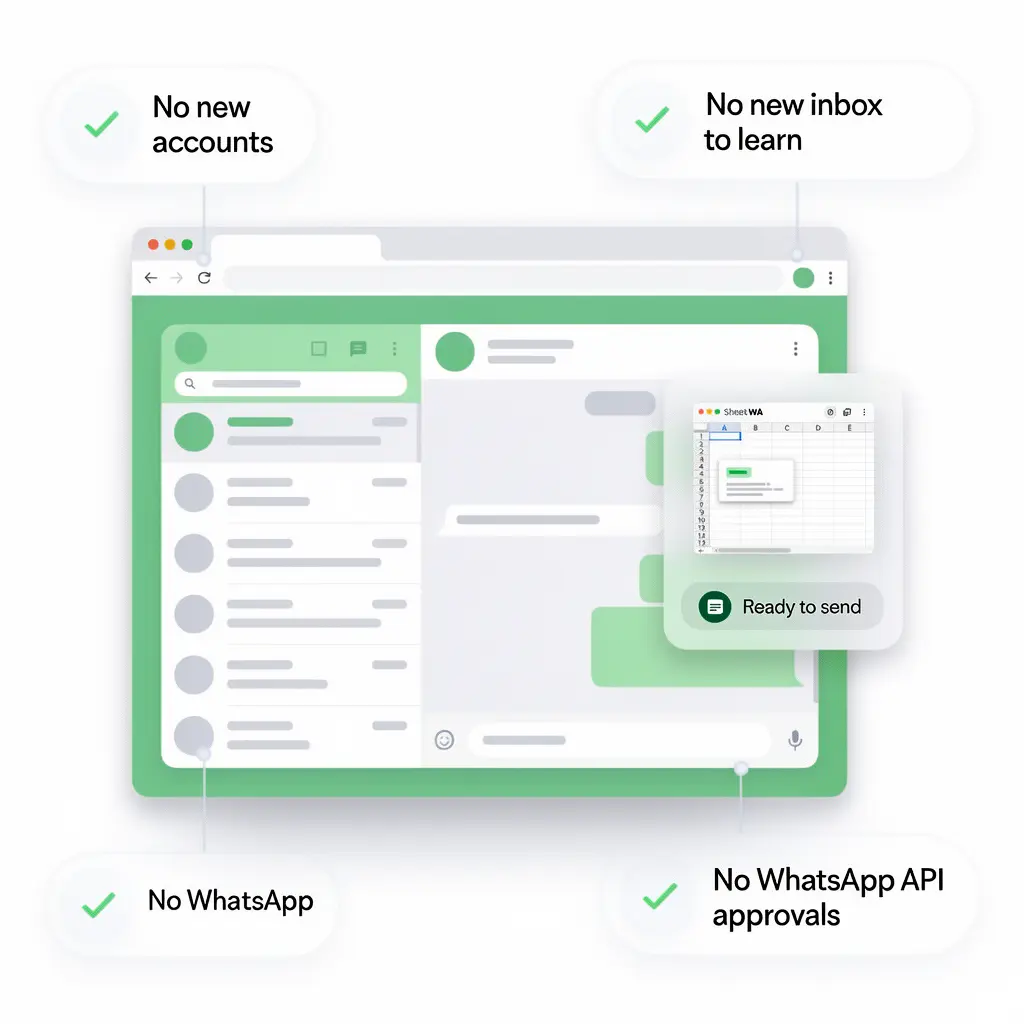
Sheet WA is a Google Sheets WhatsApp sender that lets you send personalized bulk WhatsApp messages directly from your spreadsheet using WhatsApp Web.
How Sheet WA Works
Prepare Your Sheet
Add contacts and message data to your spreadsheet
Start with a Google Sheet, Excel file, or CSV. Each row represents one WhatsApp message.
Typical columns include:
NamePhone Number(with country code)Custom fields(Order ID, City, Amount, Link, etc.)
Sheet WA reads your sheet exactly as it is—no complex formatting or imports needed.
Write a Message Template
Create one message that personalizes itself
Write your WhatsApp message once using placeholders from your sheet:
Sheet WA automatically replaces placeholders with values from each row, so every message feels personal and human.
- Unlimited placeholders
- Works with emojis and line breaks
- No coding required
Preview Messages & Attach Files
See exactly what will be sent—before sending
Before sending, Sheet WA shows you a live preview of each WhatsApp message.
You can also attach:
Attachments are sent along with the personalized message, making it ideal for invoices, brochures, or updates.
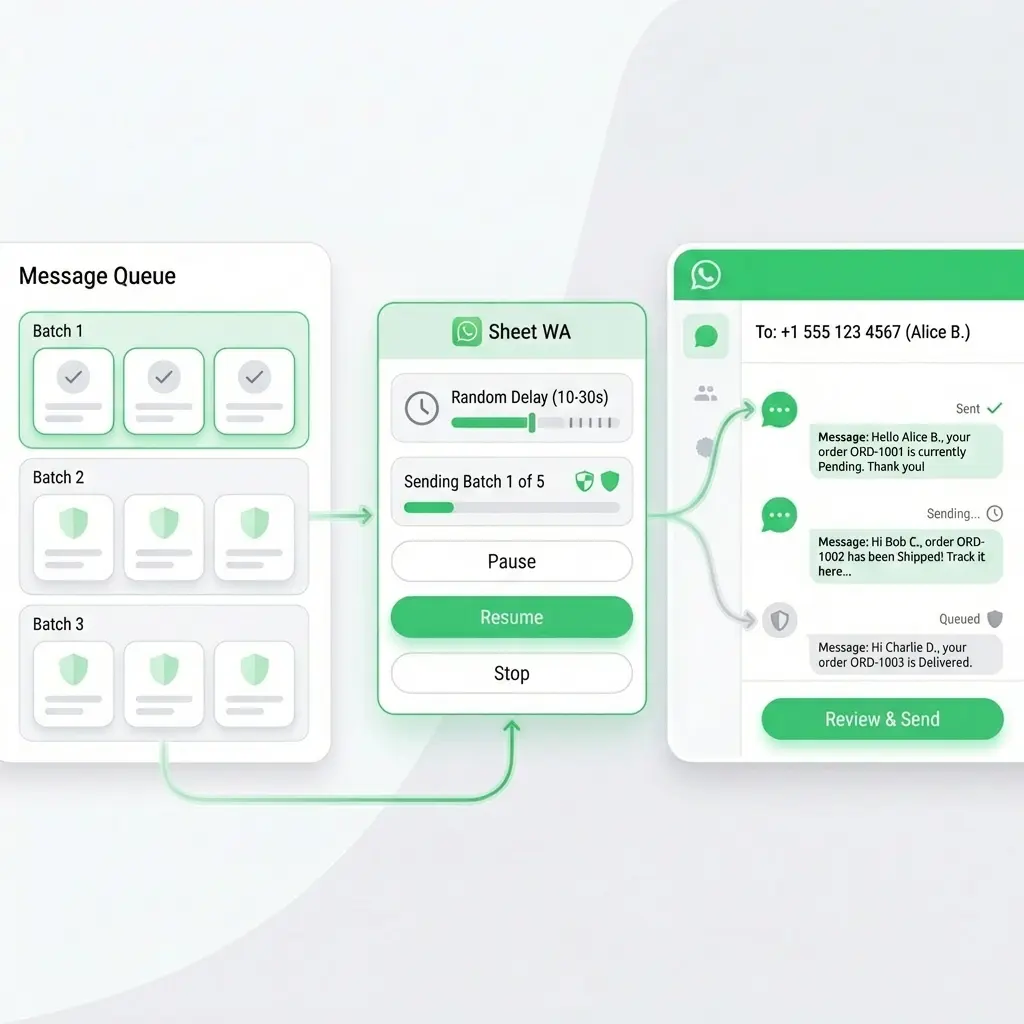
Send Safely via WhatsApp Web
Bulk sending with full control
When you're ready, Sheet WA sends messages using WhatsApp Web—the same way you normally send messages, just faster.
Safety features include:
- Batch-based sending
- Randomized delays between messages
- Pause or stop anytime
This helps maintain a natural sending pattern while you stay in full control.
Everything You Need to Send WhatsApp Messages From a Sheet
Sheets + Spreadsheet Integration
Send WhatsApp Messages Directly From Your Data
Sheet WA is built for people who already work in spreadsheets.
- Google Sheets → WhatsApp Connect your Google Sheet and send WhatsApp messages directly—no exporting or copying required.
- Excel & CSV upload supported Upload .xlsx or .csv files and use them instantly as your contact source.
- Smart column mapping Map columns like Name, Phone, Order ID to message placeholders with a few clicks.
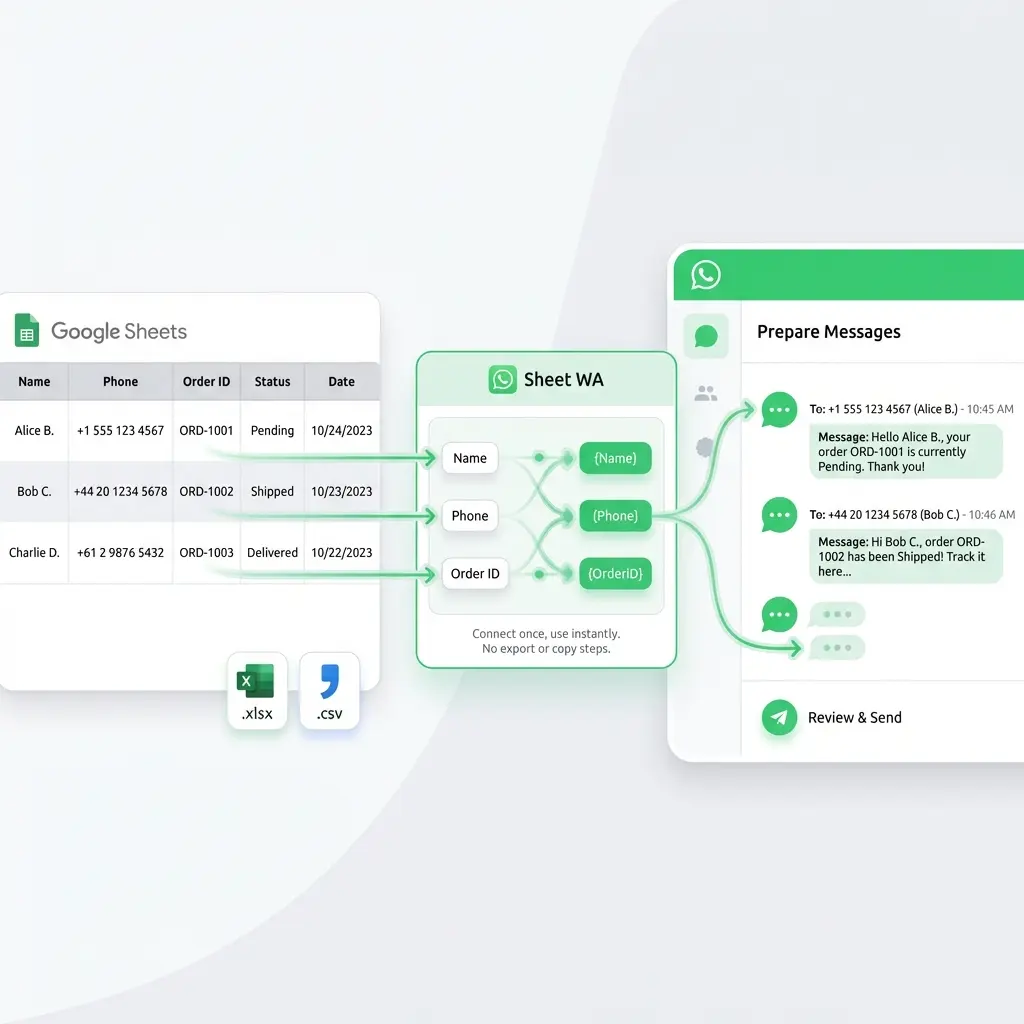
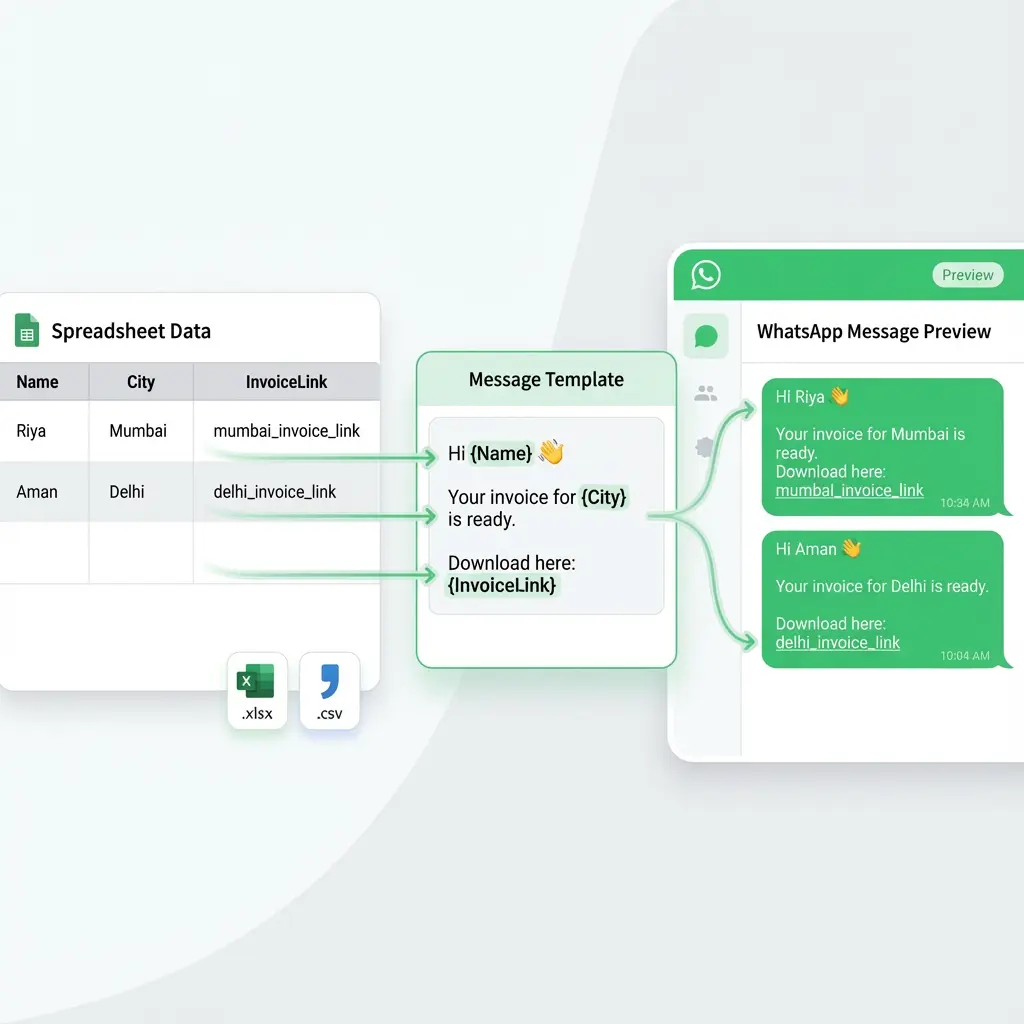
Personalization & Templates
Bulk Messages That Still Feel Personal
Personalize every WhatsApp message using data from your sheet.
- Dynamic placeholders Use {Name}, {City}, {InvoiceLink} and more in your messages.
- Reusable message templates Emojis, line breaks, and formatting supported.
- Live preview before sending See exactly how each personalized message will look on WhatsApp.
Every row becomes a unique message—so your outreach never feels robotic.
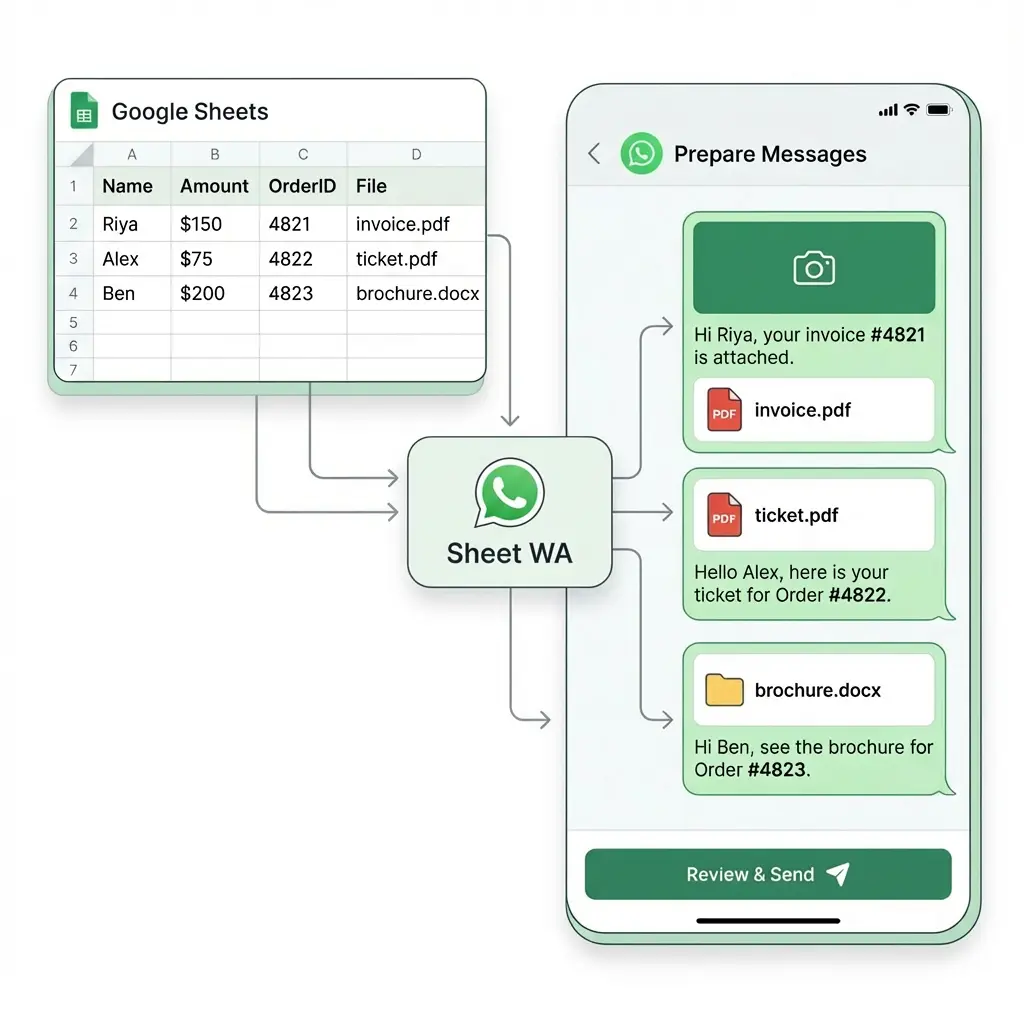
Attachments & Media
Send Files Along With Your Messages
Go beyond plain text. With Sheet WA, you can send:
Each attachment can include a personalized caption from your spreadsheet.
- Payment reminders
- Order confirmations
- Marketing campaigns
- Customer updates
Safety Controls & Sending Limits
Send in a Way That Feels Natural
WhatsApp safety is not an afterthought—it's built into Sheet WA.
- Delay between messages Add random or fixed delays to avoid unnatural sending patterns.
- Batch-based sending Send messages in controlled batches instead of all at once.
- Pause or stop anytime You stay in control—pause, resume, or cancel whenever you want.
- Reduce-risk best practices Clear guidance on pacing, volume, and personalization.
What People Use Sheet WA For
Turn Your Spreadsheet Into WhatsApp Action
Teams use Sheet WA to send timely, personalized WhatsApp messages directly from Google Sheets, Excel, or CSV—without manual work. Here are the most common use cases, with quick template examples you can reuse.
Lead Follow-Ups From a Sheet
Follow up with leads captured in a spreadsheet—without sounding automated.
Hi {Name}, just checking in regarding your interest in {Product}.
Let me know if you'd like a quick walkthrough.
— {AgentName}
Why it works: Personalized fields keep the message conversational while Sheet WA handles bulk sending.
Webinar & Event Reminders
Reduce no-shows by sending reminders straight from your registration sheet.
Hi {Name}, reminder for {EventName} happening on {Date} at {Time}.
Join link: {EventLink}
💡 Optional: attach an event flyer or calendar PDF.
Payment Reminders
Send polite, professional reminders with invoices or payment links attached.
Hi {Name}, this is a reminder that invoice #{InvoiceID} for ₹{Amount} is due on {DueDate}.
Invoice attached for reference.
Customer Support Updates
Keep customers informed about tickets, deliveries, or status changes.
Hi {Name}, your support request #{TicketID} is now marked as {Status}.
We'll update you if anything changes.
💡 Attach screenshots, documents, or receipts if needed.
Small Business Promotions
Run promotions using contacts stored in a sheet—without losing personalization.
Hi {Name}, we're offering {OfferName} valid till {EndDate}.
Use code {Coupon} to avail the offer 🎉
💡 Optional: attach product images or a promo PDF.
Internal Team Announcements
Broadcast updates to teams using a simple internal contact sheet.
Hi team, reminder that {MeetingName} starts at {Time} today.
Agenda: {AgendaLink}
💡 Ideal for ops updates, shift alerts, or internal notices.
Sheet WA helps you send personalized WhatsApp messages from a spreadsheet for follow-ups, reminders, promotions, and updates—quickly and safely.
Sheet WA vs Other Ways to Send WhatsApp Messages
Choose the Right Tool for Spreadsheet-Based WhatsApp Messaging
There are multiple ways to send WhatsApp messages—but not all of them are designed for spreadsheet-driven workflows. Here's how Sheet WA compares.
Sheet WA
Spreadsheet-First WhatsApp Sender
Best for: Sending personalized WhatsApp messages directly from Google Sheets, Excel, or CSV.
Why teams choose Sheet WA:
- Built specifically for Google Sheets → WhatsApp
- Supports Excel & CSV uploads
- Full personalization using sheet columns
- Attach images, PDFs, and documents
- Works inside WhatsApp Web
- No API approvals or complex setup
- Safety controls (delays, batches, pause)
✅ Ideal for sales follow-ups, reminders, promotions, and updates.
WhatsApp Broadcast Lists
Best for: Small personal broadcasts.
Limitations:
- Recipients must save your number
- No spreadsheet integration
- No personalization at scale
- Hard to manage large lists
- No attachment automation
❌ Not suitable for serious outreach or business workflows.
WhatsApp API / Official BSP Tools
Best for: Enterprises with engineering teams and high volumes.
Trade-offs:
- Approval process required
- Template restrictions
- Ongoing per-message costs
- Setup complexity
- Overkill for sheet-based workflows
❌ Too complex if your data already lives in Google Sheets or Excel.
Generic WhatsApp Sender Tools
Best for: One-off bulk sends without data structure.
Common issues:
- Weak or no spreadsheet support
- Limited personalization
- Poor visibility and previews
- Little guidance on safe sending
⚠️ Often not built for long-term, repeatable use.
Quick Comparison
| Feature | Sheet WA | Broadcast | WhatsApp API | Generic Senders |
|---|---|---|---|---|
| Google Sheets support | ✅ | ❌ | ❌ | ⚠️ |
| Excel / CSV upload | ✅ | ❌ | ❌ | ⚠️ |
| Personalization | ✅ | ❌ | ✅ | ⚠️ |
| Attachments | ✅ | ❌ | ⚠️ | ⚠️ |
| WhatsApp Web based | ✅ | ✅ | ❌ | ⚠️ |
| Safety controls | ✅ | ❌ | ✅ | ❌ |
| Easy setup | ✅ | ✅ | ❌ | ⚠️ |
If your contacts live in a spreadsheet and you want safe, personalized WhatsApp messaging without APIs, Sheet WA is the simplest option.
Free to Use. No Hidden Costs.
Sheet WA Is Completely Free — Use It Without Limits
Sheet WA is free to use.
No subscriptions. No trials. No payment required.
Send WhatsApp messages directly from Google Sheets, Excel, or CSV without worrying about pricing, credits, or plans.
What You Get for Free
Everything in Sheet WA is available at zero cost:
- Send WhatsApp messages from Google Sheets
- Upload Excel or CSV files
- Personalized message templates ({Name}, {City}, {InvoiceLink})
- Live message preview before sending
- Send images, PDFs, and documents
- Batch sending with delays
- Pause or stop anytime
- Works via WhatsApp Web
- No WhatsApp API required
No feature gating. No "upgrade to unlock".
What "Free" Really Means
- ✔ No per-message charges
- ✔ No daily credit limits imposed by us
- ✔ No payment card required
- ✔ No forced upgrades
- ✔ No surprise paywalls
You use your own WhatsApp account, and Sheet WA simply helps you send messages from your sheet in a structured way.
Why Sheet WA Is Free
Sheet WA is designed to be:
There's no complex backend, no WhatsApp API billing, and no per-message infrastructure—so there's no reason to charge you.
Responsible Use Guidelines
Sheet WA is built for legitimate communication — not spam. Follow these principles to protect your account and respect your recipients.
Consent
Only message people who have opted in or expect to hear from you. Avoid cold outreach to scraped or purchased lists.
Relevance
Send messages that are useful, timely, and relevant to your recipients. Personalization matters.
Pacing
Use delays between messages. Sending too fast looks automated and increases risk of being flagged.
Opt-Outs
Respect when someone asks to stop receiving messages. Remove them from future campaigns immediately.
Frequently Asked Questions
Sheet WA is a free tool that lets you send personalized WhatsApp messages directly from Google Sheets, Excel, or CSV using WhatsApp Web.
Instead of copy-pasting messages one by one, you prepare your data in a spreadsheet and Sheet WA handles the sending—safely and transparently.
Yes. Sheet WA is completely free.
There are:
- No subscriptions
- No per-message charges
- No credit limits imposed by Sheet WA
- No payment required
Yes. Sending WhatsApp messages from Google Sheets is the core use case of Sheet WA.
You simply:
- Prepare your sheet
- Write a message template
- Preview messages
- Send via WhatsApp Web
Yes. In addition to Google Sheets, Sheet WA supports:
- Excel (.xlsx)
- CSV (.csv) files
You can upload your file and start sending WhatsApp messages immediately.
Absolutely.
Sheet WA supports dynamic placeholders like:
{Name}{City}{OrderID}{InvoiceLink}
Each row in your sheet becomes a unique, personalized WhatsApp message.
Yes. Sheet WA supports sending:
- Images
- PDFs
- Documents
You can also add a personalized caption with each attachment.
This is commonly used for invoices, brochures, tickets, and updates.
No.
Sheet WA works through WhatsApp Web, not the WhatsApp Business API. There are:
- No approvals
- No template restrictions
- No per-message API costs
You use your existing WhatsApp account.
Sheet WA is designed with safety in mind.
You get:
- Batch-based sending
- Delay between messages
- Pause or stop anytime
- Full message preview before sending
There is no background automation or hidden sending. You stay in control at all times.
Sheet WA itself does not send messages on your behalf silently.
Your account safety depends on:
- Message volume
- Sending speed
- Message relevance
- Recipient consent
Sheet WA includes best-practice guidance and pacing controls to help reduce risk, but responsible usage is always recommended.
Sheet WA does not impose limits.
However, WhatsApp may restrict accounts that send unusually high volumes very quickly. That's why batch sending and delays are recommended.
Yes. Every message is shown in a live preview before it's sent.
You can scroll through all messages, verify personalization, and confirm attachments.
Sheet WA is commonly used by:
- Sales teams
- Founders & SMBs
- Customer support teams
- Coaches & educators
- Event organizers
- Operations teams
If your contacts live in a spreadsheet, Sheet WA fits naturally.
Sheet WA uses your spreadsheet only to generate messages during sending.
There is no need to upload your data to external dashboards or CRMs.
Sheet WA is a free bulk WhatsApp sender from Google Sheets, Excel, or CSV, built for personalization, attachments, and safe sending via WhatsApp Web.
Start Sending WhatsApp Messages From Your Sheet — Free
Turn your spreadsheet into WhatsApp outreach in minutes.